

Filters and views
Filters turn a large entitled territory into a working set you can actually action.
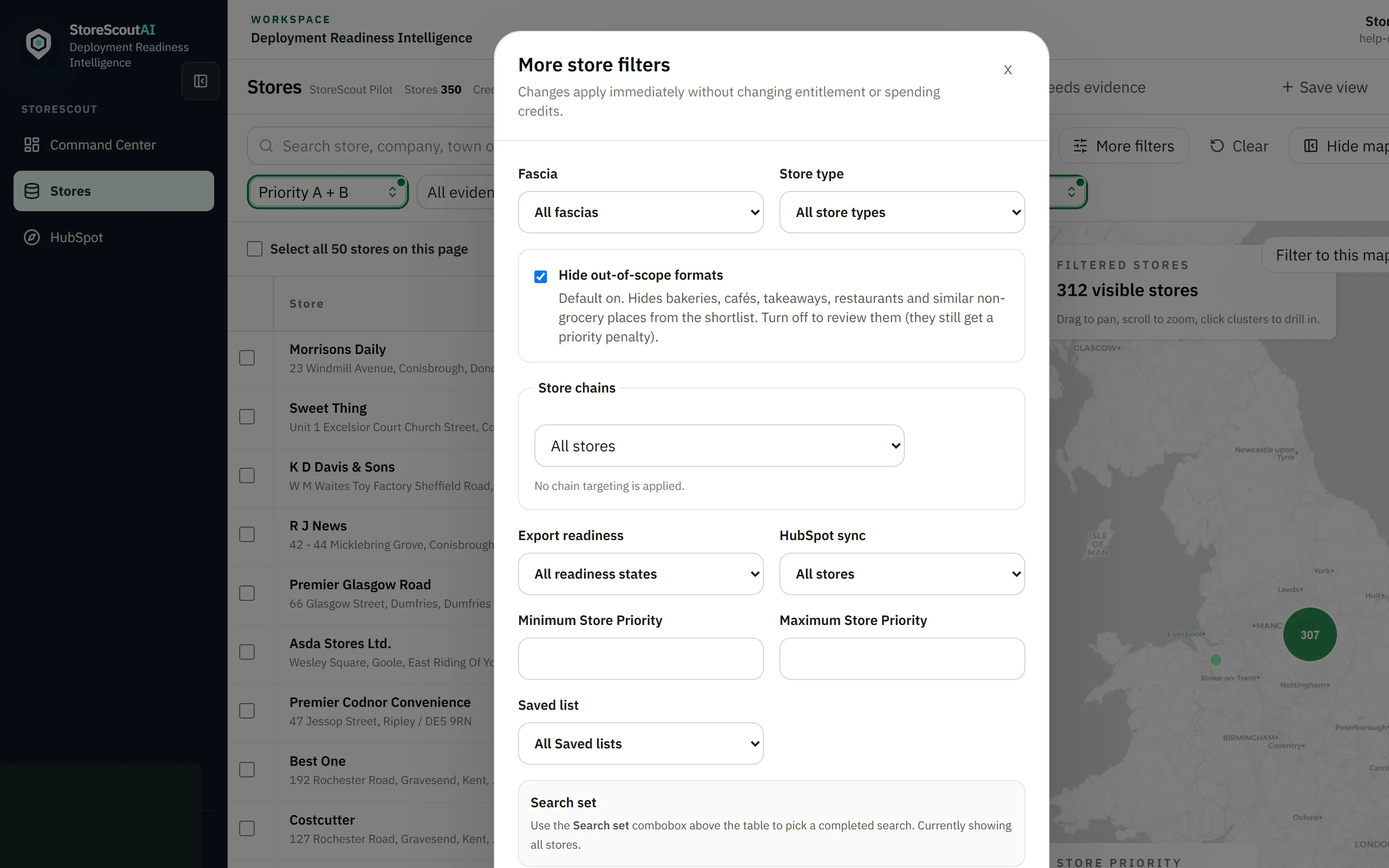
Controls at a glance
Section titled “Controls at a glance”| Control | Purpose |
|---|---|
| Search box | Free-text match on store / company / place / postcode |
| Search set | Limit to stores from a completed Find stores run, or All stores |
| Priority / evidence / company | Primary filter dropdowns (active state is clearly green) |
| Sort | Order the table (priority, name, last enriched, etc.) |
| Columns | Show, hide, reorder, and freeze columns |
| More filters | Fascia, chains, export readiness, HubSpot sync, priority range, saved lists |
| Clear | Reset filters when you switch campaigns |
| Saved views | Named filter + column packages (private or shared when allowed) |
How to filter well
Section titled “How to filter well”- Decide whether you are working all entitled stores or one search set.
- Start with priority or evidence for attention order.
- Use More filters for chain targeting or fascia.
- Clear filters when switching campaigns so you do not export the wrong set.
Search sets vs filters
Section titled “Search sets vs filters”| Search set | Filters |
|---|---|
| “Which Find stores run am I looking at?” | “Within that set (or all stores), what slice?” |
| Comes from completed licensed searches | Applied on top of the current set |
Saved views
Section titled “Saved views”If your workspace supports saved views:
- Name them after the campaign (“Leeds independents — week 12”).
- Prefer shared names when others will export from the same view.
- Re-check filters and Search set before any buyer-facing export.